Media Overview
Overview
When you upload images, icons, or videos the files are automatically added to your Media library. Once they're a part of this library, they can be used repeatedly through your site without having to upload the file more than once.
Uploading files
There are a couple ways you can upload these files:
-
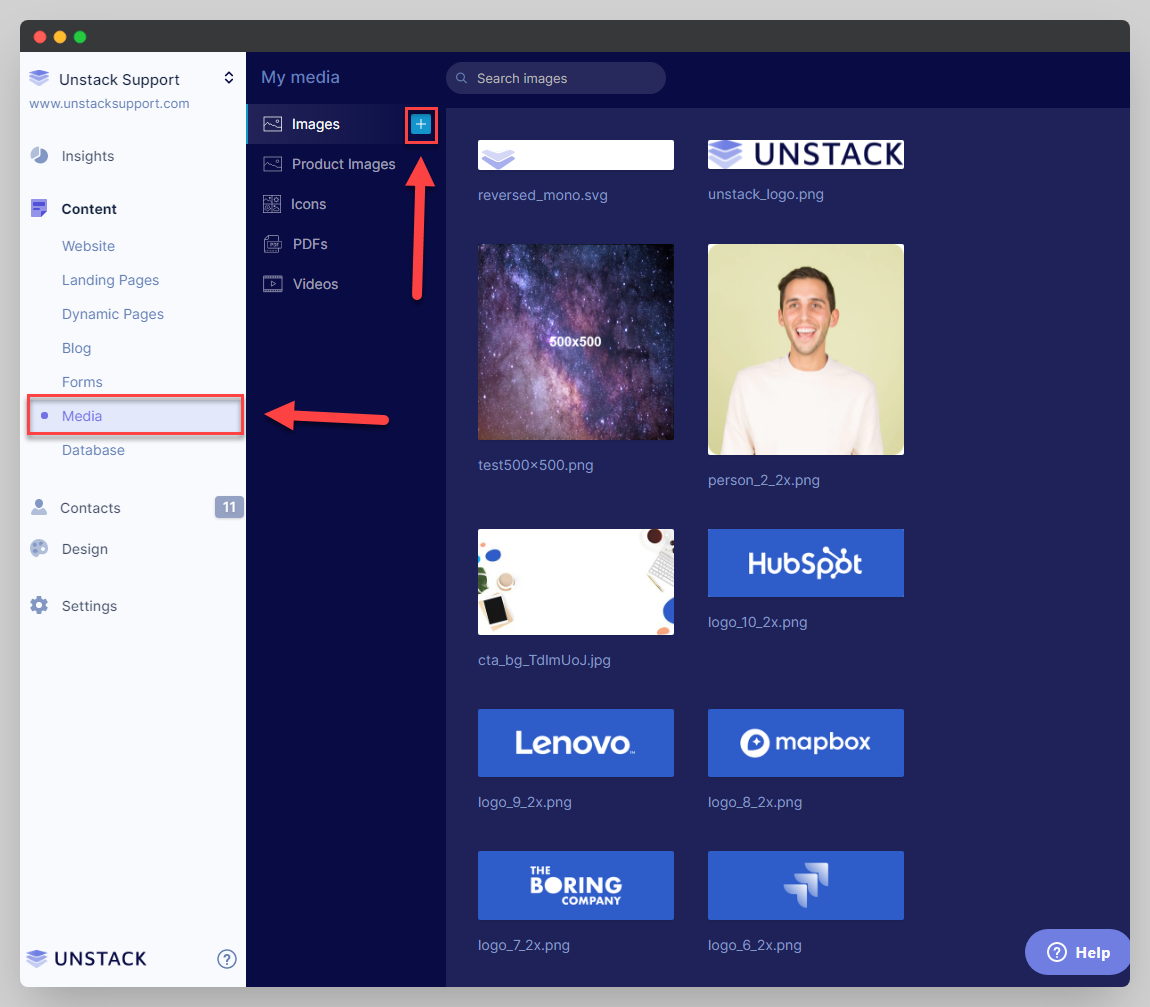
Upload direct to your Media folder by accessing the "Media" tab, click on [+] to select a file to upload.
-
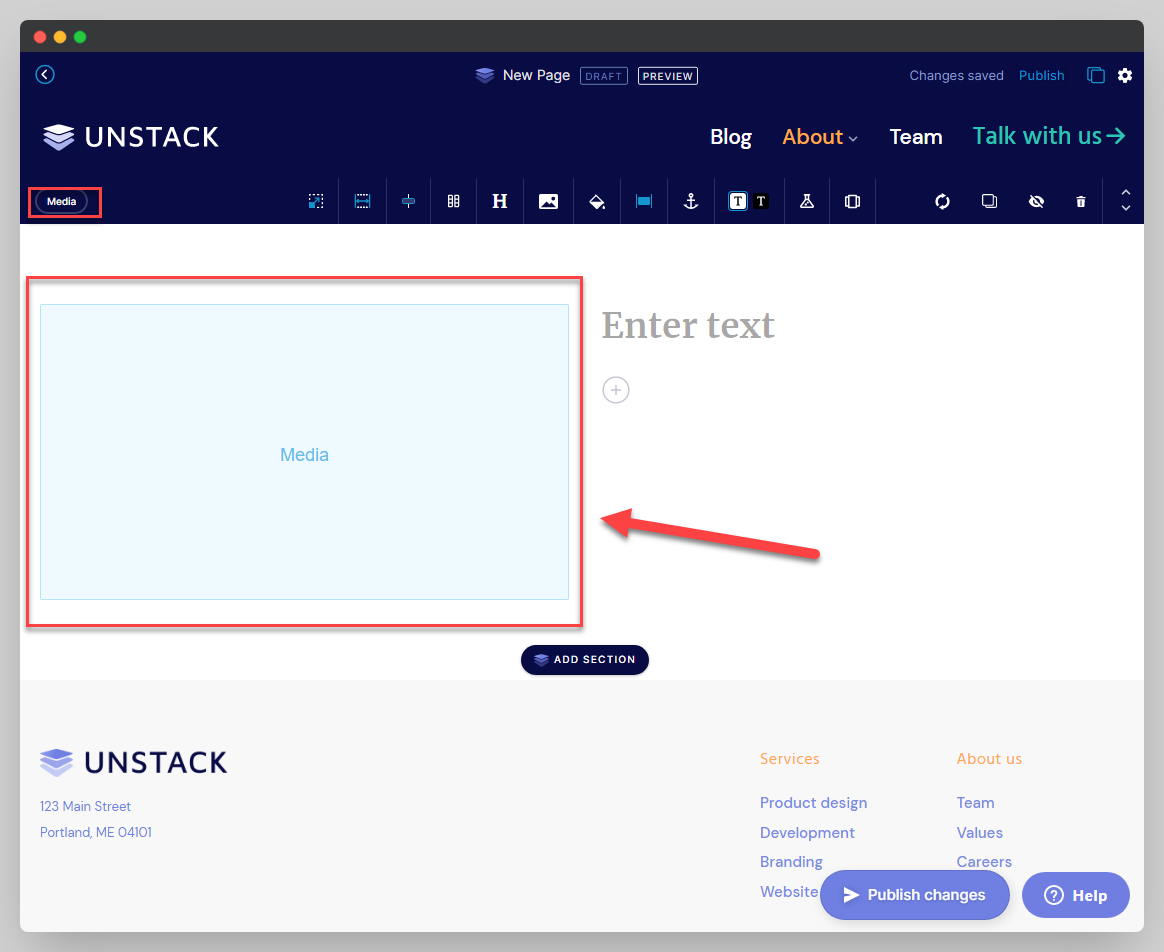
Upload when you're in the page editor. Add a media section, click the empty image container and upload the media file like explained above.
Uploading PDF files
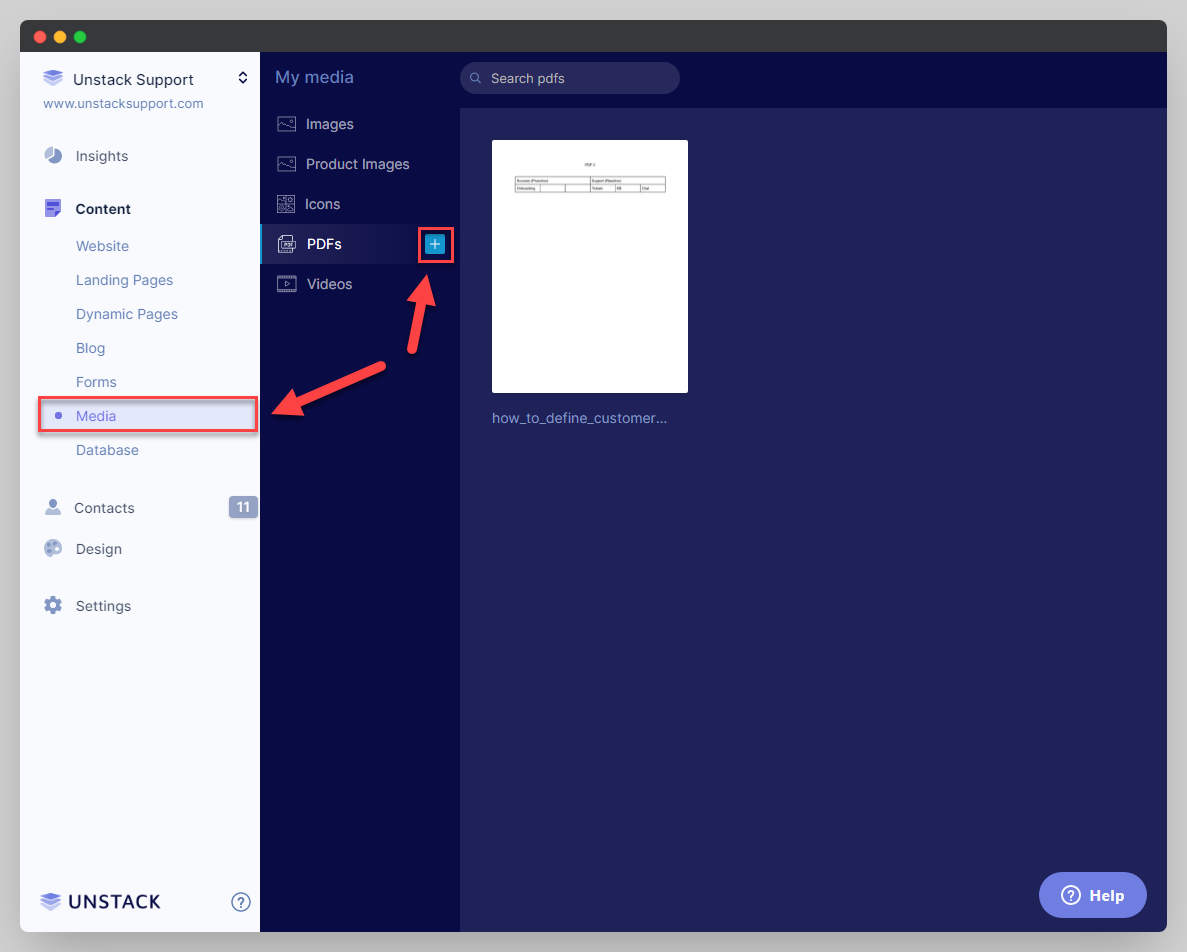
Like images, PDFs can be uploaded direct to your Media folder by accessing the "Media" tab.
Alt text
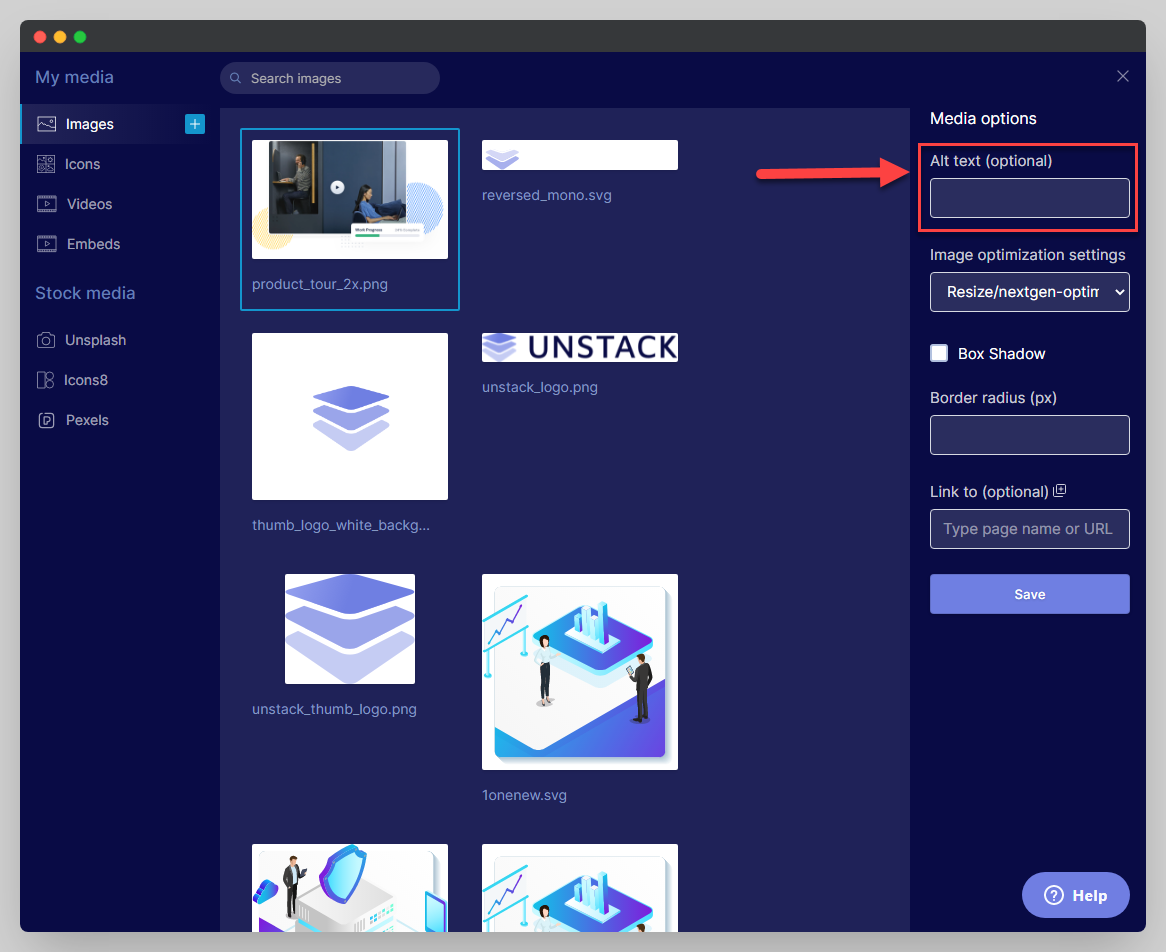
Alt text is a short text description that helps blind or visually-impaired visitors understand an image on a page.
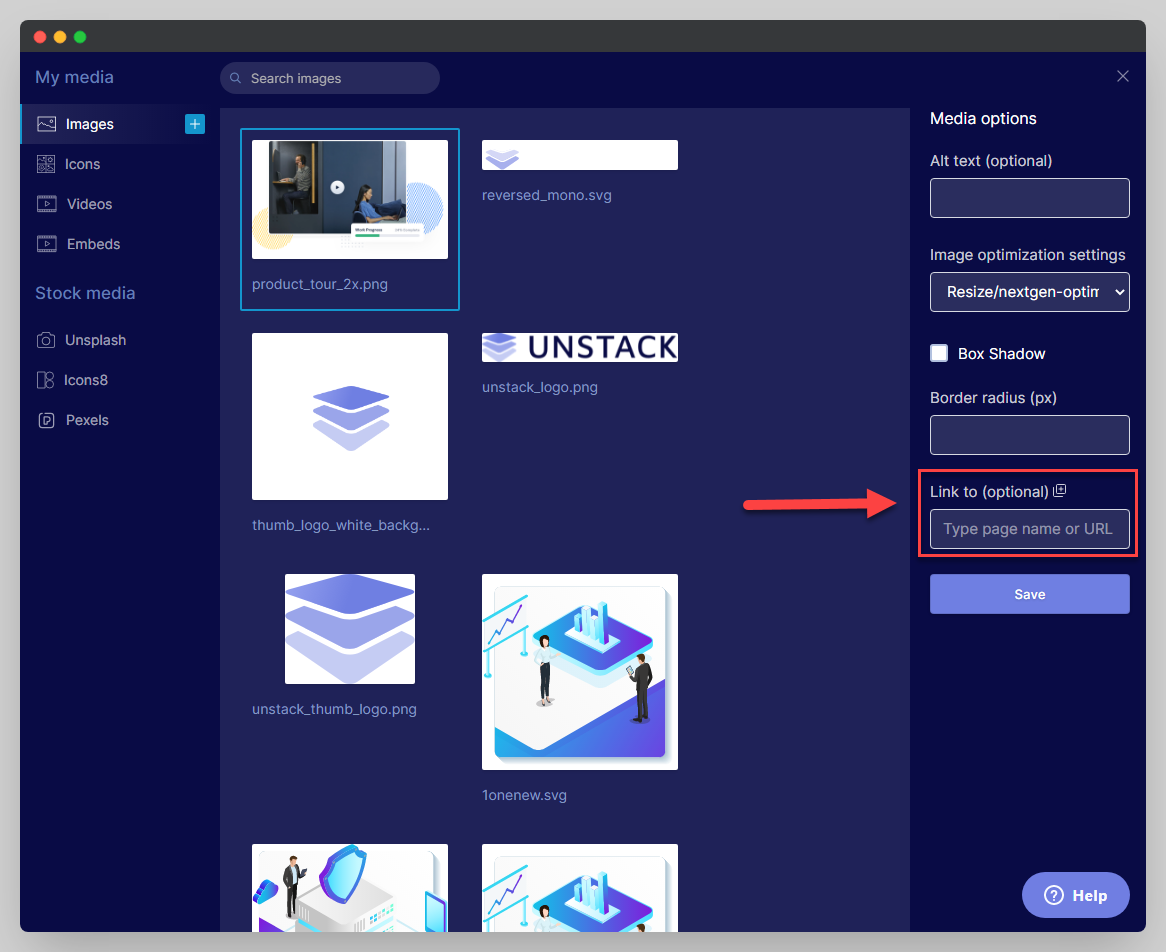
Open the media window and add your alt text to the field shown below.
Adding a hyperlink to my media
To add a hyperlink your media, edit the photo or video by clicking it, and add the URL you'd like to link to in the field shown below:
Error messages when uploading files
If you are receiving any errors or have any issues uploading a particular image or video, this could be because it does not meet specific requirements. Your image or video must be under 50MB and fit the supported file types listed below:
| Videos | Images & Icons | PDFs |
|---|---|---|
| .mp4 | .gif | |
| .jpg/.jpeg | ||
| .bmp | ||
| .x-icon | ||
| .svg/.svg+xml |