Adding User Roles
Before we begin...
note
Note that only the Account Owner and Administrator are able to make changes to team member roles.
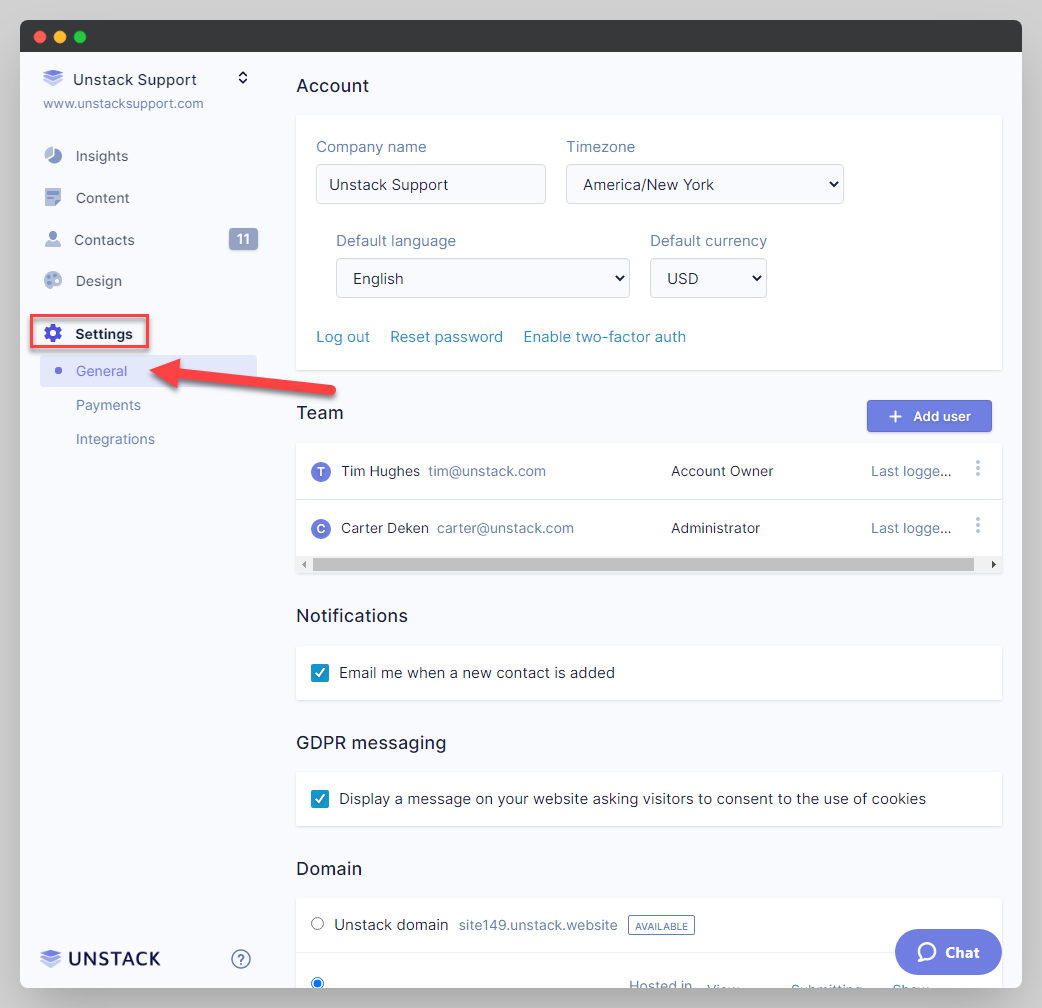
- Navigate to Settings > General.
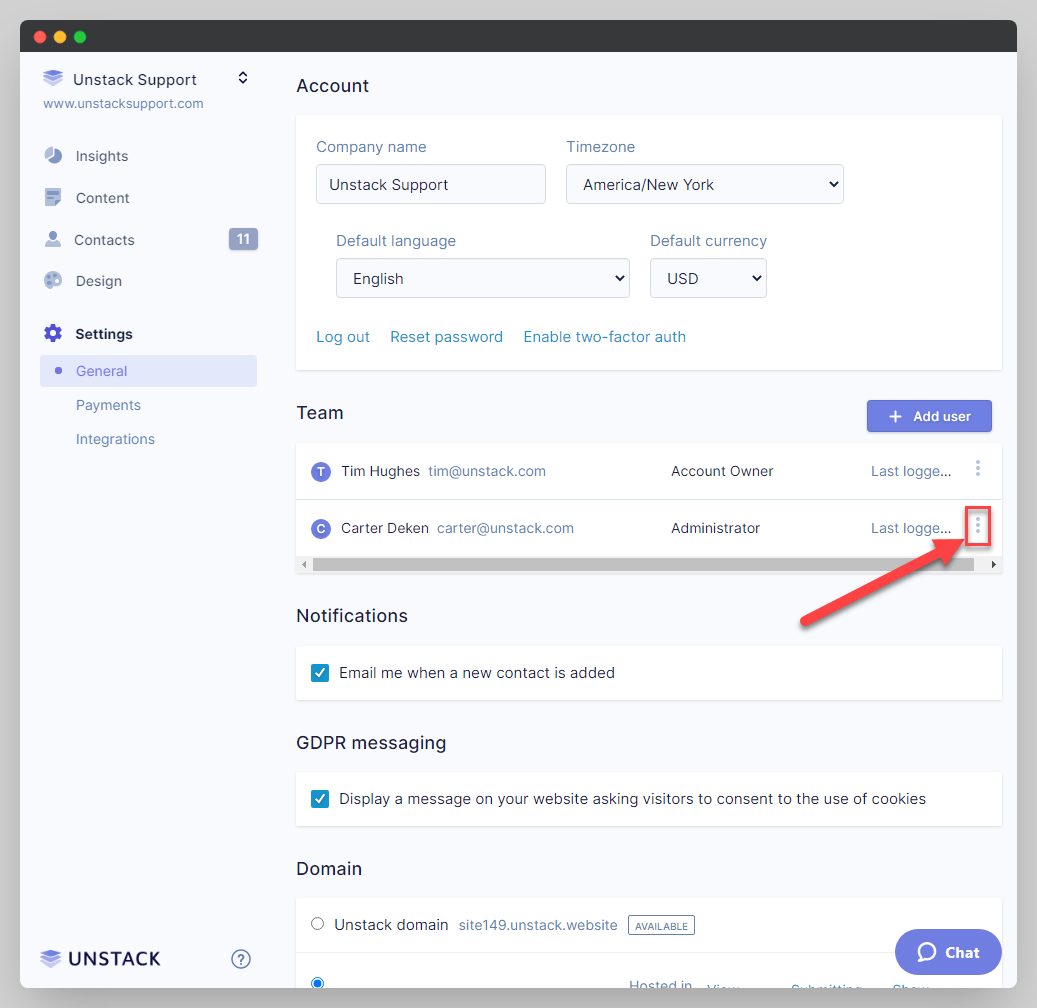
- Click on the symbol in the below screenshot to access team member details to change roles.
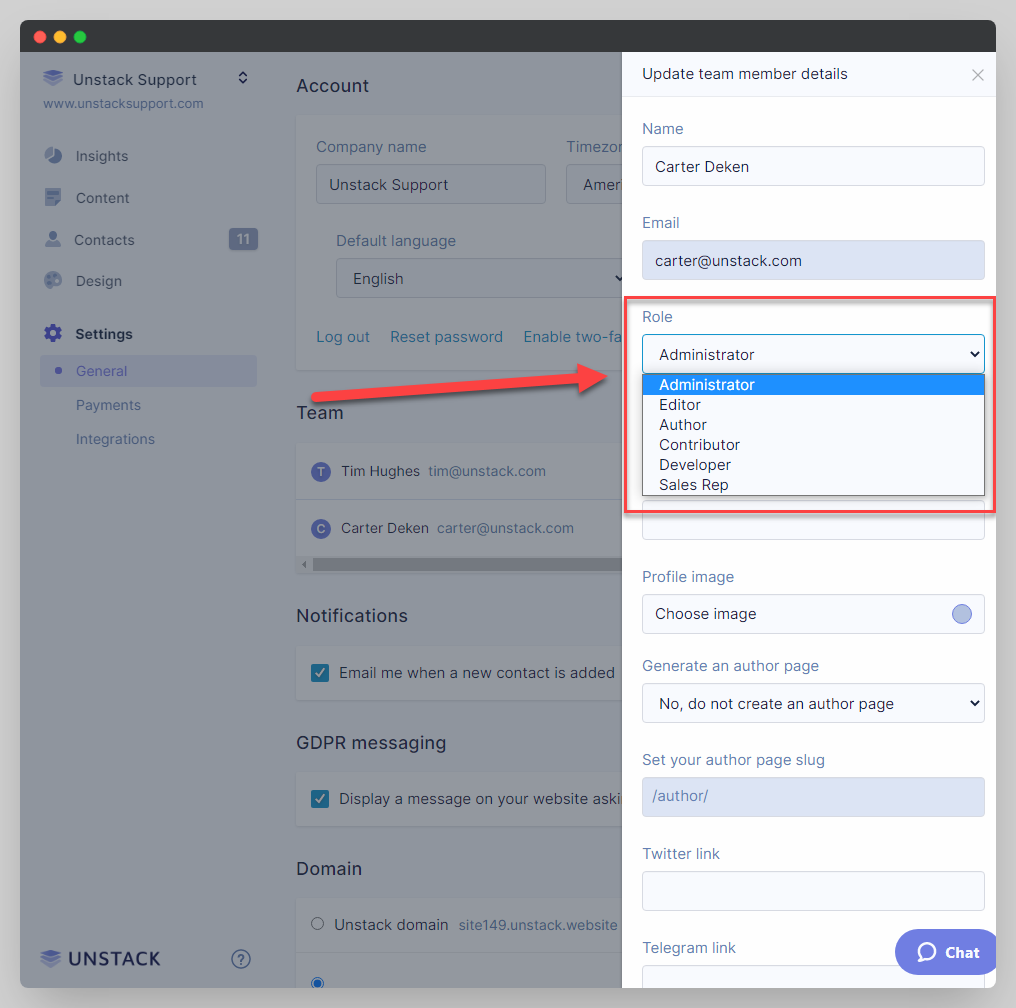
- Click on the "Role" dropdown and make whatever change you need to make. See User Role Definitions for the various permissions that each role has.